You can cancel your pledge at any time when you logged in.
Step 1: Log in at https://patron.podbean.com/.
Step 2: Click on "My Patrons" at the top-left of the page.

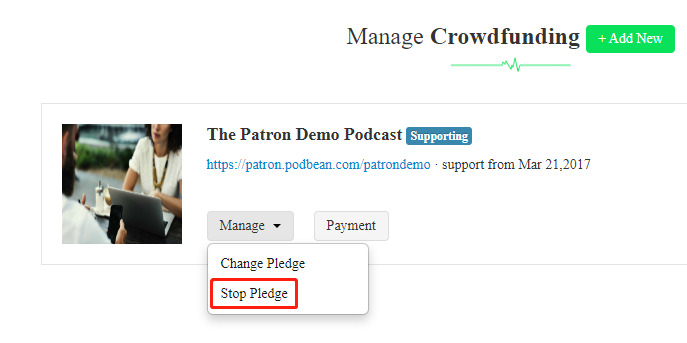
Step 3: Click on "Manage” -> "Stop Pledge" and your pledge will be canceled.

Modified on: Wed, 4 Mar, 2026 at 8:38 PM
You can cancel your pledge at any time when you logged in.
Step 1: Log in at https://patron.podbean.com/.
Step 2: Click on "My Patrons" at the top-left of the page.
Step 3: Click on "Manage” -> "Stop Pledge" and your pledge will be canceled.
Did you find it helpful? Yes No
Send feedback