
If a user requests to add script code to their podcast website for tracking or other purposes, first check whether they are on a paid plan. An own domain is required for the code to take effect.
For free users, you may reply:
Adding script code requires a paid plan and your own domain. You may upgrade your plan and set up your own domain, then contact us to enable this feature.
For paid users:
Ask the user to provide the script code they would like to add, and let them know that an own domain is required for the code to take effect. Share the guide for setting up an own domain.
Create a ticket in PB Customer Support and include the user’s script code for the Tech Team to review.
Wait for the Tech Team’s approval before enabling the feature.
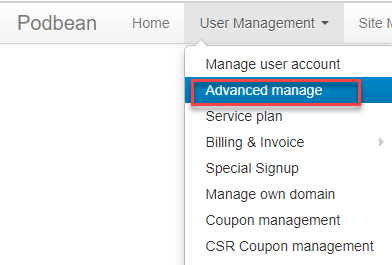
Once approved, go to BO → User Management → Advanced manage and enable the script code feature for the user.
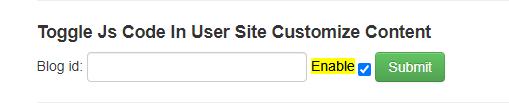
- Share the guide for adding embed code to a podcast site and guide the user through adding the approved code.