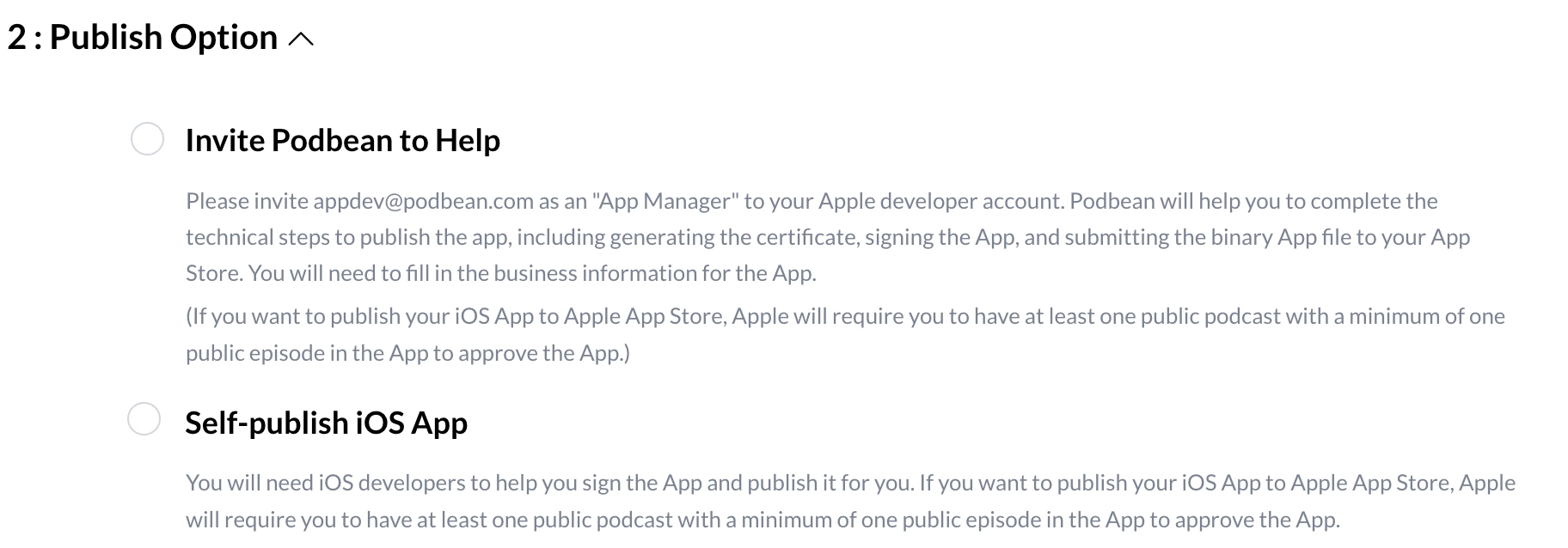
Podbean supports iOS white label podcast app setup for enterprise podcasting, so your organization can prepare a branded iOS podcast app for distribution.
This guide explains how to complete the basic app information and choose how the iOS app will be published.
Step 1: Open the IOS app setup page
Log in to your Podbean account.
Click Podcast App from the left sidebar.
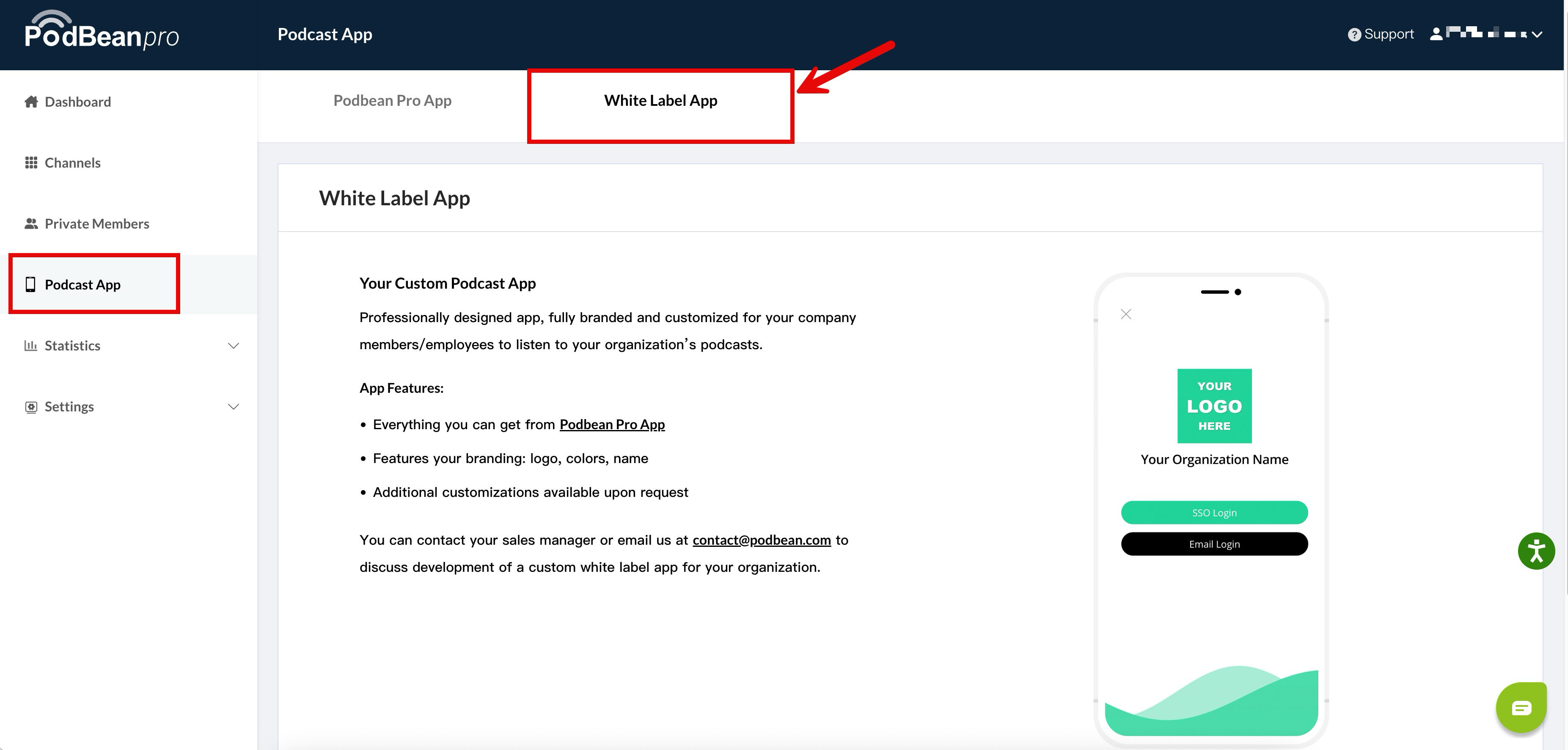
Step 2: Complete the basic app information
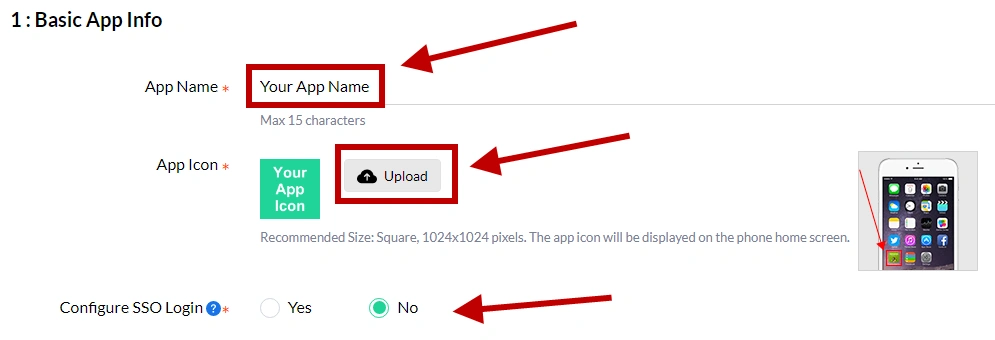
On the iOS app setup page, complete the basic app information required for your iOS white label podcast app, including your App Name, App Icon, and Configure SSO Login.
Step 3: Choose the app publishing option
Review the information carefully before selecting the publishing option.
There are two publishing options:
- Invite Podbean to Help: Choose this option if you want Podbean to publish the iOS app in App Store.
- Self Publish: Choose this option if your company or organization will publish the app on App Store or in your own Enterprise Mobile Management (EMM) system.
If you choose Self Publish, your company or organization should have its own EMM administrators to publish and manage the app.