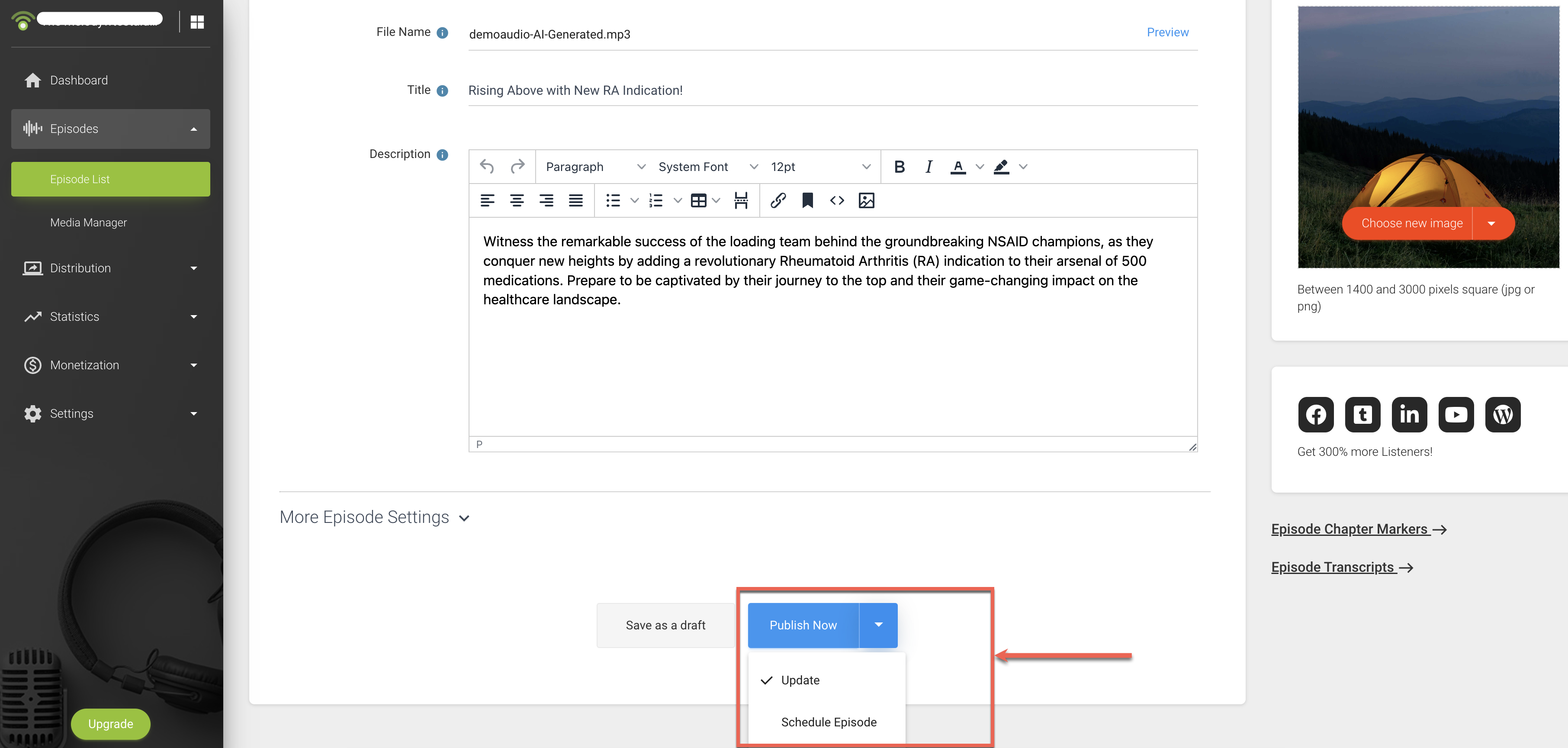
After publishing an episode with Podbean AI Audio Optimization, you’ll receive an email notification once AI processing is complete. The processing status is also available on the Episode List page.
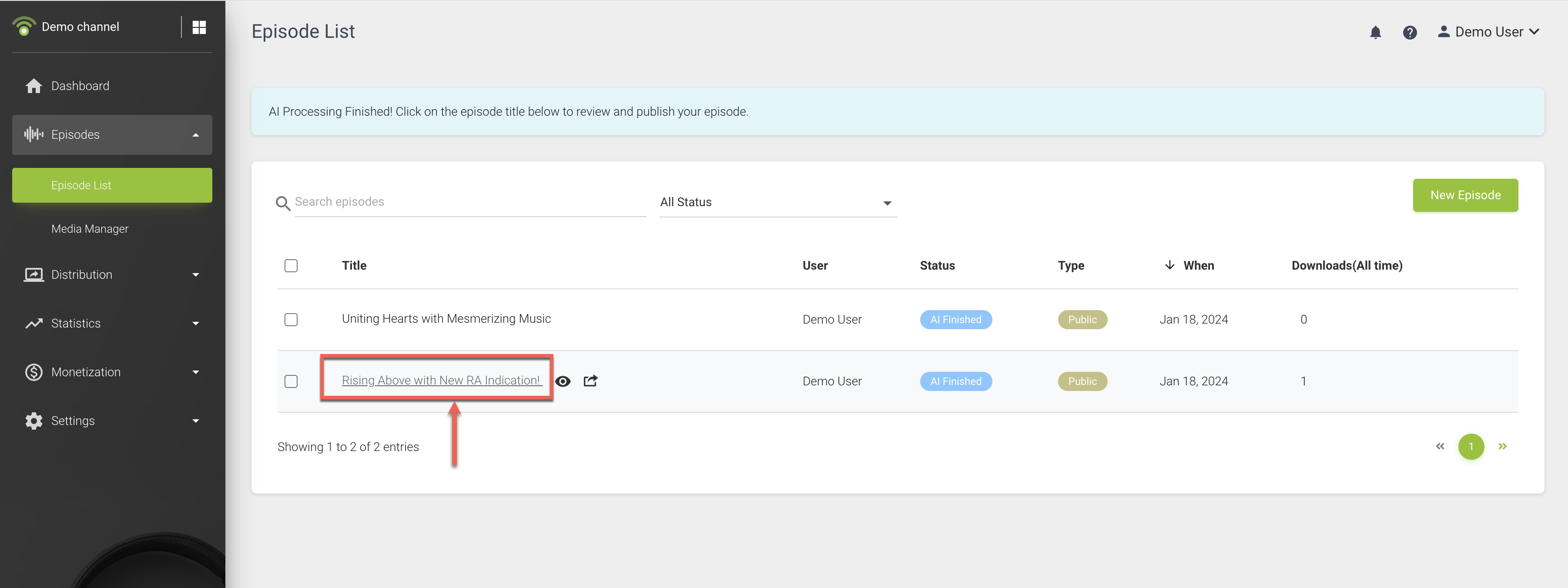
Once the AI processing is complete, you can click on the episode title for reviewing and customizing the episode.
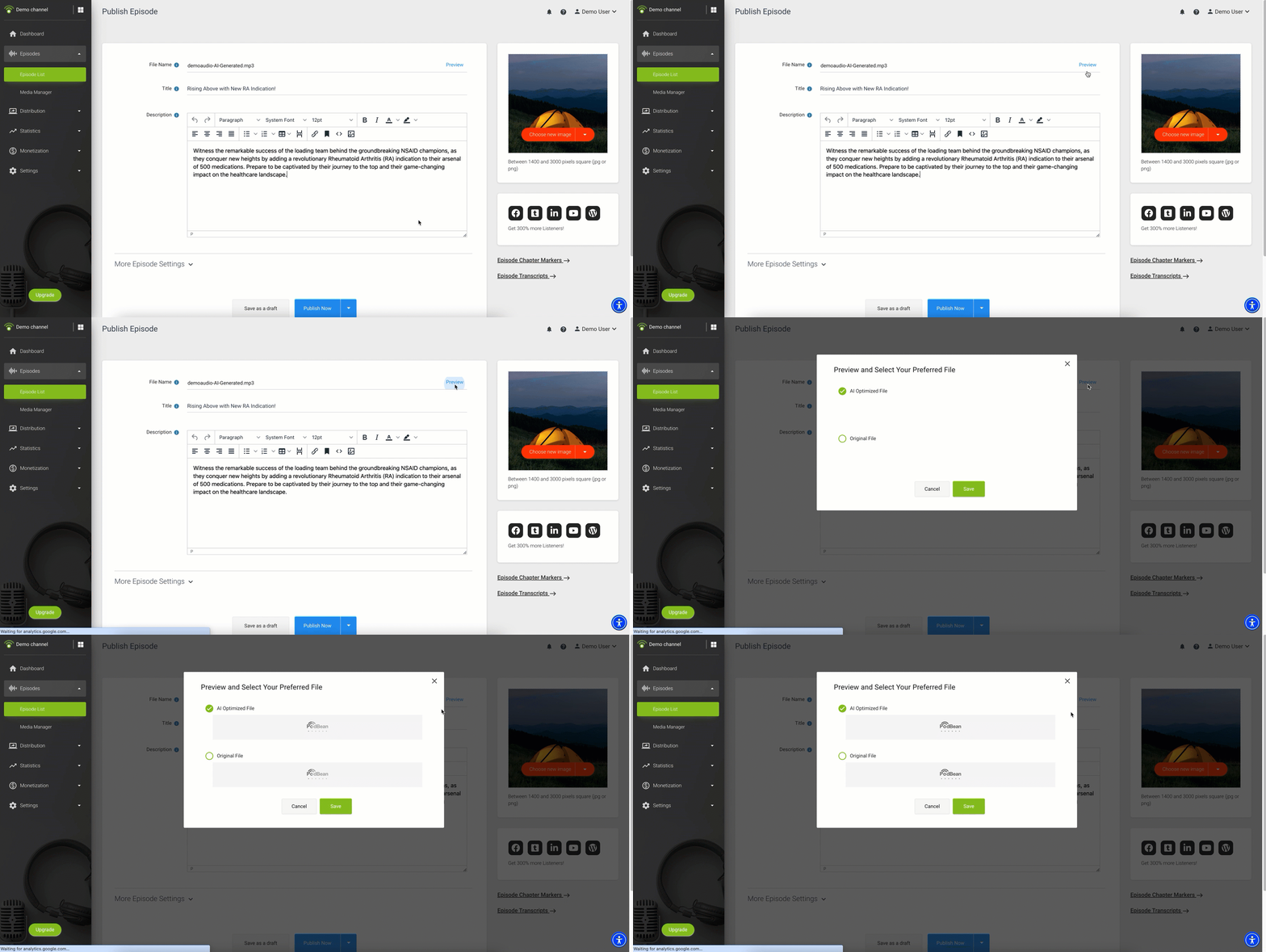
- Preview the optimized media file by clicking on the Preview button next to the filename and choose your preferred file.
- Enter your episode title, description, and other information. If you’ve enabled AI Content Assistant, you can preview the content it generates. See Preview the Details Generated by AI Content Assistant.
- Once everything is set, you have the option to either publish immediately or schedule the release.